

How to Clean and Maintain Your Slim Keyboard Easily
2025-12-10
Keeping your workspace sleek and efficient starts with a clean Slim Keyboard. For users of the Chuangquan Ultra-Thin Pro, regular maintenance not only preserves its elegant appearance but also ensures peak performance and longevity. This guide offers professional, easy-to-follow steps to care for your premium peripheral.
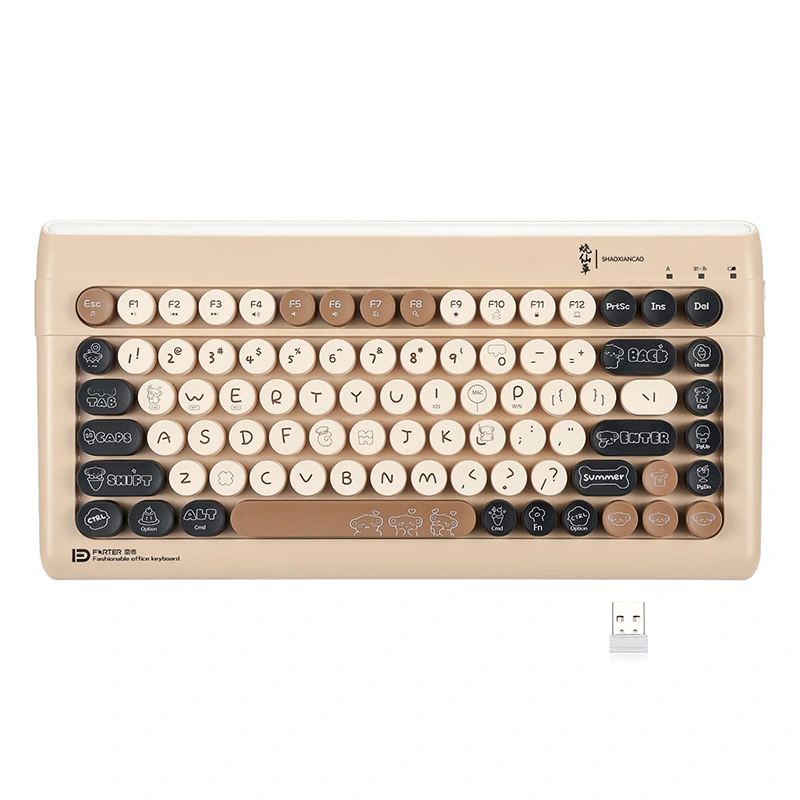
Regular cleaning is crucial. Before starting, always disconnect the keyboard from your device.
-
Daily & Weekly Care:
-
Gently shake the keyboard upside down to dislodge loose crumbs and dust.
-
Use a soft, dry, microfiber cloth to wipe the keycaps and surface.
-
For light smudges, slightly dampen the cloth with isopropyl alcohol (70% or less).
-
-
Deep Cleaning (Monthly):
-
Compressed Air: Use short bursts to blow debris from under the keys.
-
Keycap Removal: Carefully remove keycaps using a puller. Clean them with a soft brush and mild soapy water. Ensure they are completely dry before reattachment.
-
Surface Wipe: Clean the now-exposed switch plate and frame with a cloth dampened with isopropyl alcohol.
-
Introducing the Chuangquan Ultra-Thin Pro
Proper care helps maintain the superior specs that make this keyboard a standout choice. Here are its key parameters:
| Feature | Specification |
|---|---|
| Profile | Ultra-Slim, 5.5mm |
| Connectivity | Bluetooth 5.2 / USB-C Wired |
| Key Switches | Low-Profile, Scissor-Mechanical Hybrid |
| Backlighting | White LED, 3-Level Adjustable |
| Battery Life | Up to 120 hours (Backlight off) |
| Compatibility | Windows, macOS, Android, iOS |
Slim Keyboard FAQ
Q: Can I use disinfectant wipes on my Chuangquan Slim Keyboard?
A: We do not recommend standard disinfectant wipes, as harsh chemicals can damage the keycap coating. For safe disinfection, use a cloth lightly dampened with isopropyl alcohol (70% concentration or lower).
Q: Is the Chuangquan keyboard’s keycap removable for cleaning?
A: Yes, the keycaps on our Ultra-Thin Pro model are designed to be removable for deep cleaning. However, always use a proper keycap puller tool and apply gentle, even pressure to avoid damaging the delicate low-profile switches beneath.
Q: Why is my slim keyboard not responding after cleaning?
A: Ensure the keyboard is completely dry before reconnecting it, especially if any liquid was used. Check the USB-C port or Bluetooth connection. If keys were removed, verify they are correctly and firmly repositioned. For persistent issues, our support team can assist.
A well-maintained Slim Keyboard is key to a productive and clean workspace. By following this guide, your Chuangquan Ultra-Thin Pro will continue to deliver a reliable, comfortable, and stylish typing experience for years to come. For more detailed care instructions or technical support, please do not hesitate to contact us directly through our website’s support page. Let us help you protect your investment.